Teach with us

A space for your courses and students: lessons with exercises that check themselves, checking of texts, every student’s results and a dictionary for them. Your courses stay yours — the platform only hosts them.

I want to try
A teacher’s screen: A lesson editor
01

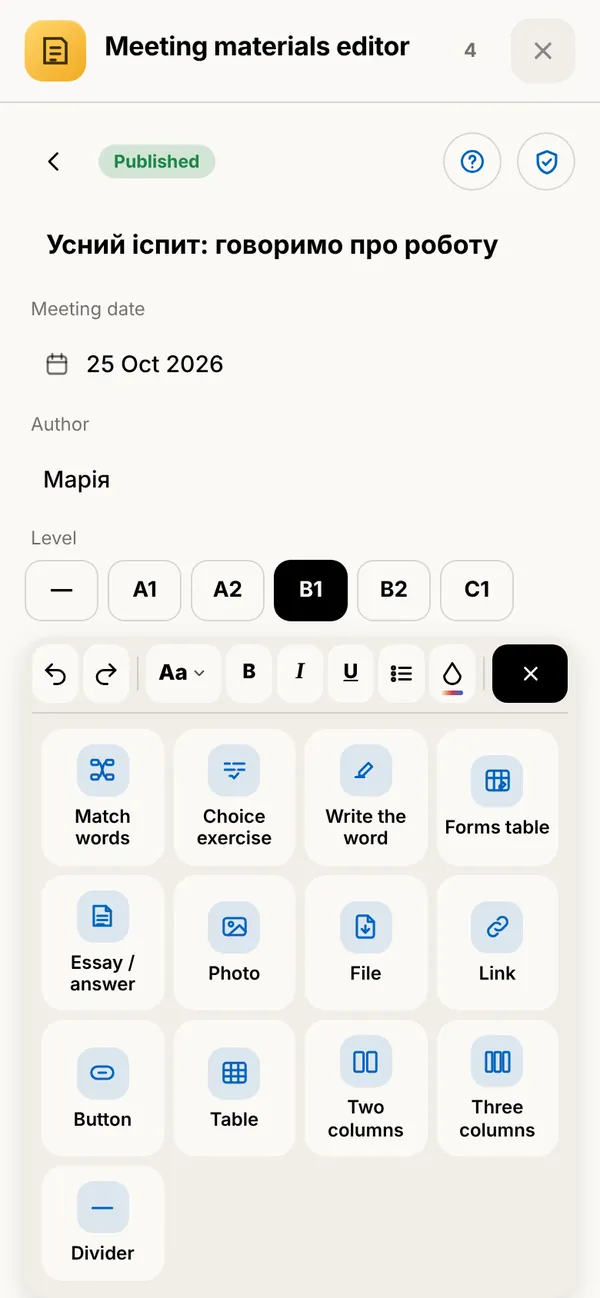
A lesson editor

Text, headings, tables, photos, files, links and columns — and exercises that check themselves: pick the word, fill in the word, match the pairs, a table of forms, an essay or answers to questions. A lesson stays a draft until you publish it.

What it gives youYou build a lesson right in the browser — no separate apps or services.
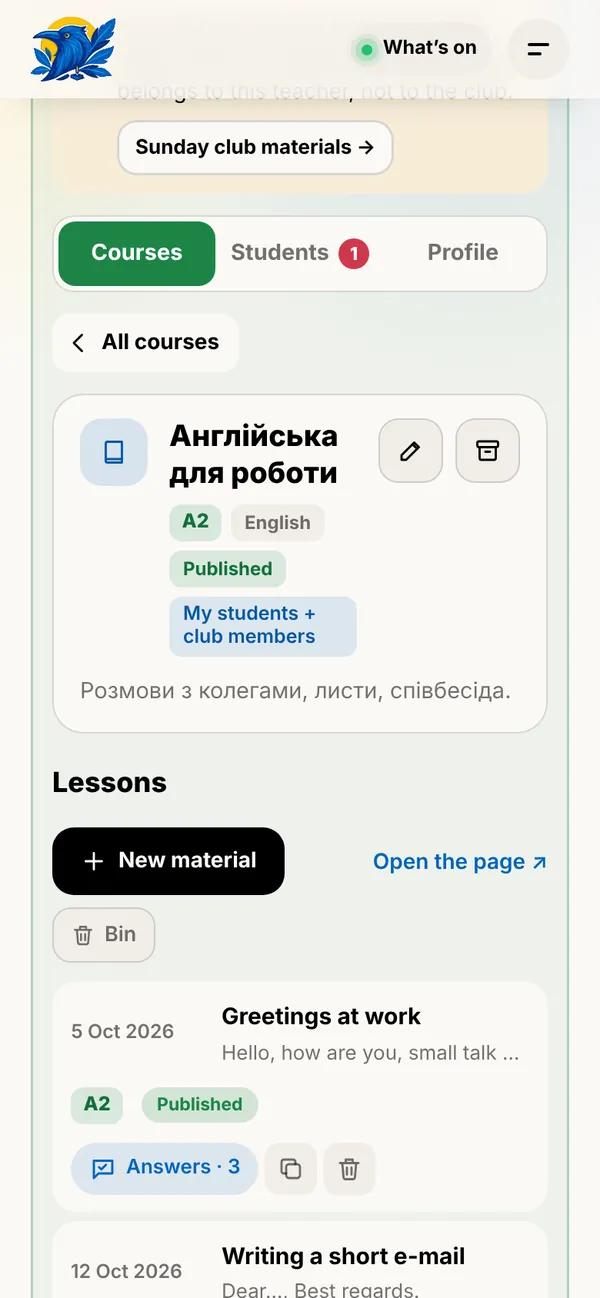
A teacher’s screen: Courses and levels
02

Courses and levels

Group lessons into courses with levels from A1 to C1. A course stays a draft until you publish it; an old one can go to the archive — nothing is deleted.

What it gives youStudents see a clear path — lesson by lesson, with the share already done.

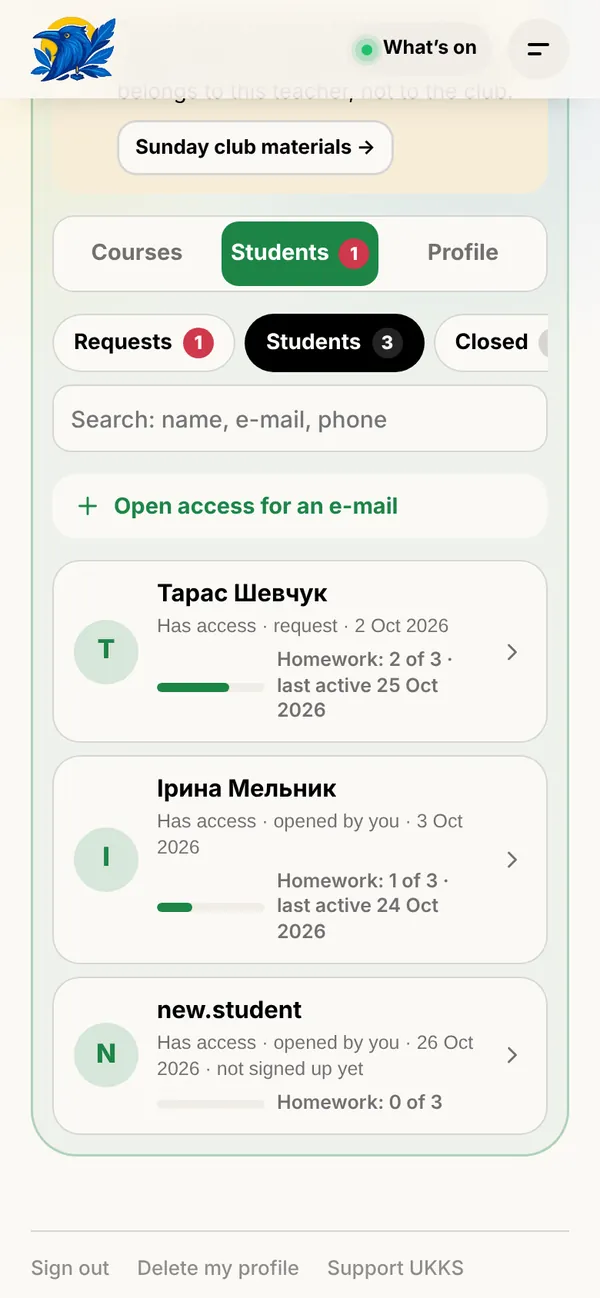
A teacher’s screen: Your students
03

Your students

Students apply through your personal link — you approve with one tap, or open access for an e-mail in advance. You see their homework, last activity and your own notes that only you can see.

What it gives youThe whole group in one list — no spreadsheets or chats.

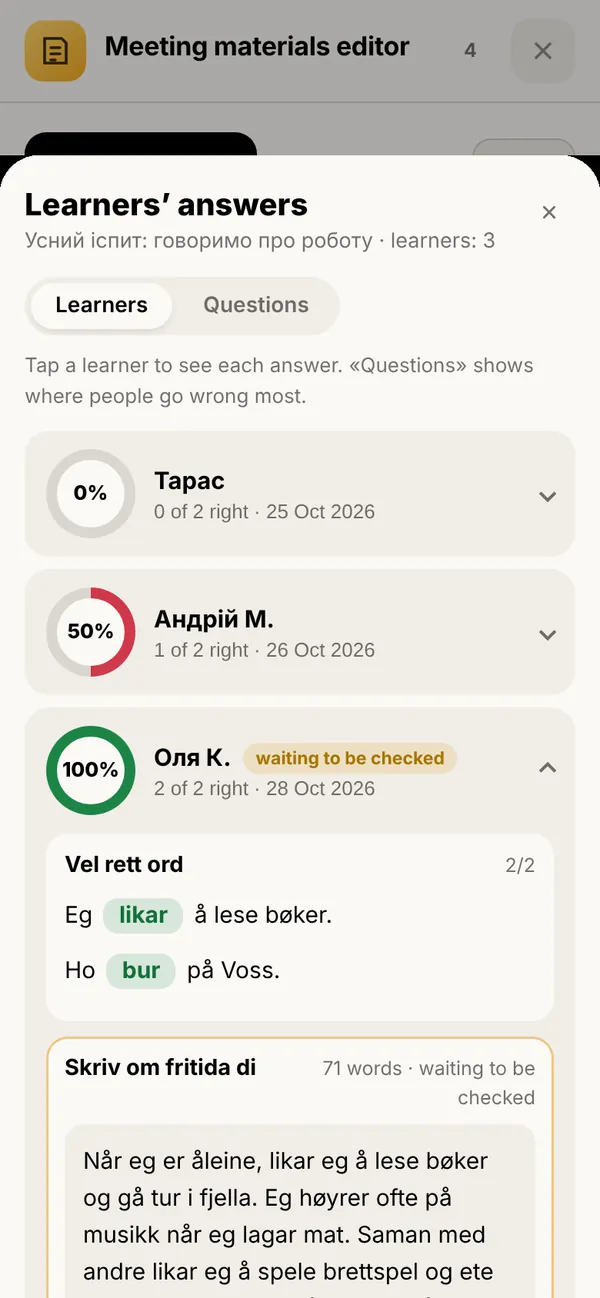
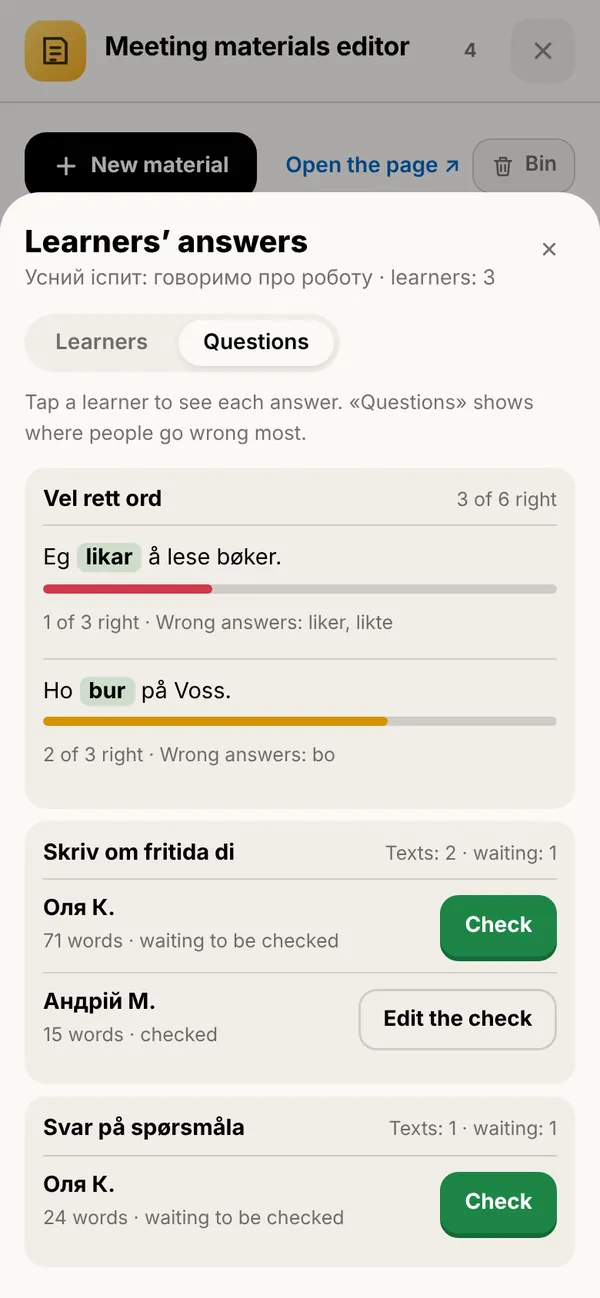
A teacher’s screen: Everyone’s results
04

Everyone’s results

Every student’s answers in every exercise. And the «Questions» tab shows where people go wrong most often and which wrong answers they give.

What it gives youYou see what is worth explaining again in the next class.

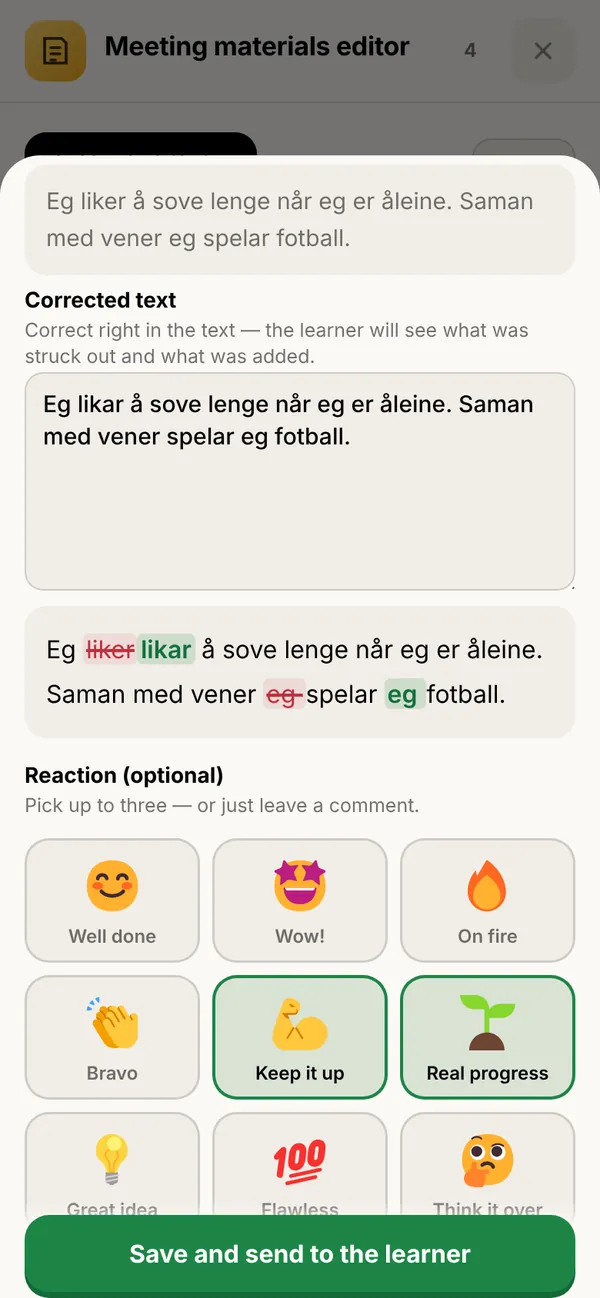
A teacher’s screen: Checking texts
05

Checking texts

Correct right in the text: the student sees what was struck out and what was added. Add a comment and a reaction — and the student gets an e-mail.

What it gives youNo grades — just clear feedback that makes people want to keep writing.

A teacher’s screen: A dictionary and a trainer for your students
06

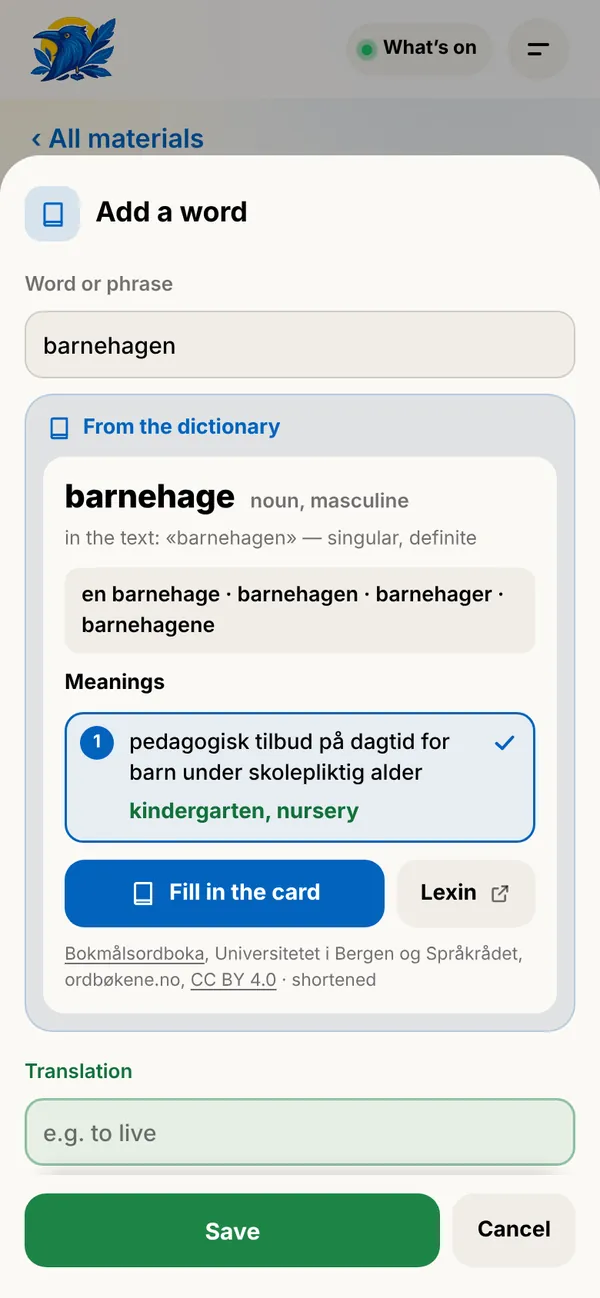
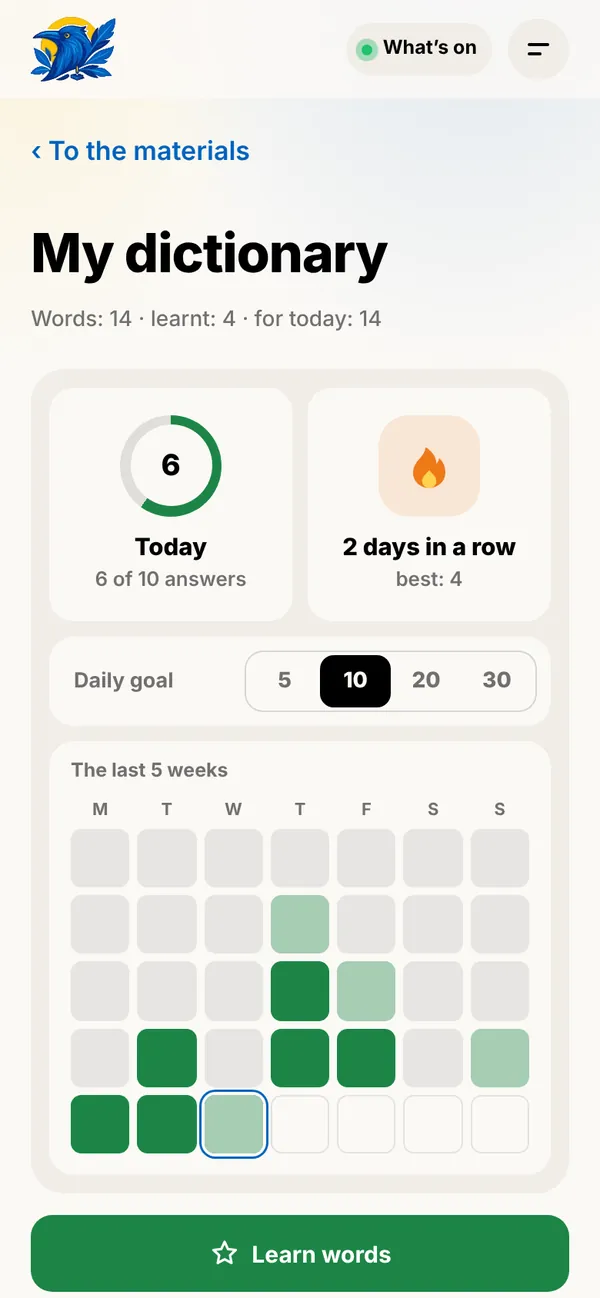
A dictionary and a trainer for your students

Students save new words from your lessons to their own dictionary and practise them in the trainer. In Norwegian lessons the meaning and forms come from Bokmålsordboka and Nynorskordboka.

What it gives youYour lesson keeps working after the lesson — with nothing extra to prepare.

A teacher’s screen: Your link and the club
07

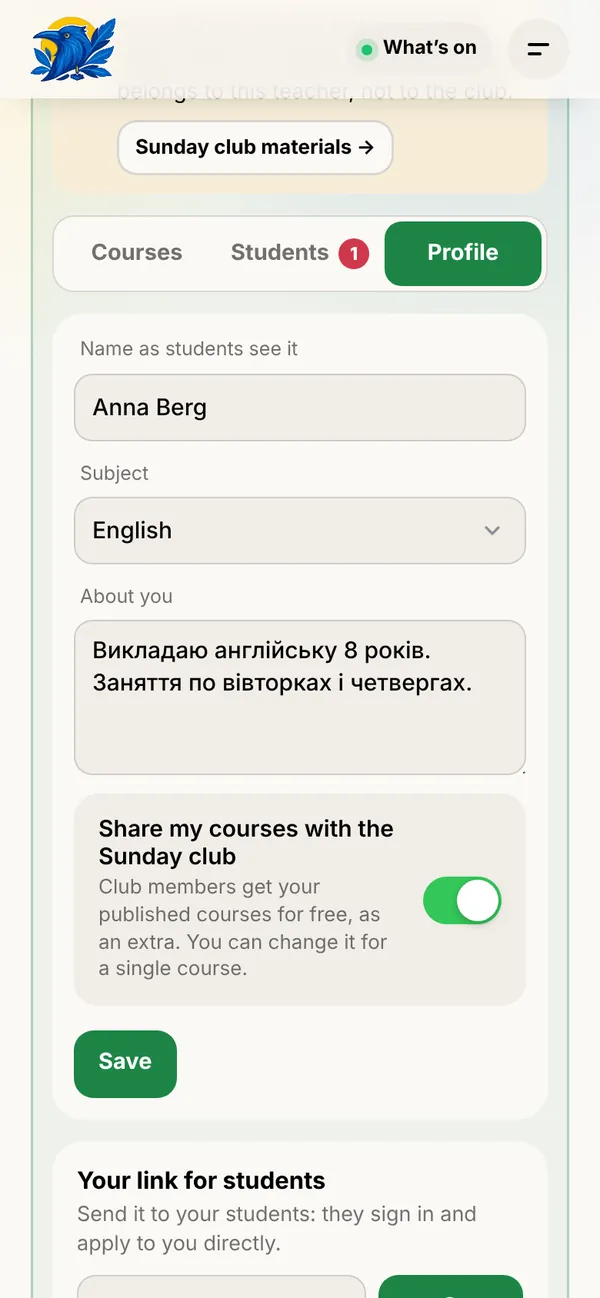
Your link and the club

Your profile has your personal link for students. If you like, share your courses with the Sunday club: its members get them for free, as an extra.

What it gives youMore people see your courses — and your work.

The screens show a demo with made-up data.

And also

  • Your materials are protected

    They cannot be copied, printed or saved; the page hides when it is not active, and automated browsers and AI agents do not see them.

  • Simple publishing rules

    Short and clear: what you may publish and what not. They protect you and your students.

  • Hints at every step

    Short tours walk you through your space and the editor — you can find your way in a few minutes.

  • Nothing gets lost

    A bin, duplicating lessons and an archive for courses; students’ results are kept.

  • Three interface languages

    Ukrainian, English and Norwegian — everyone picks their own.

  • On phone and computer

    No apps: everything works in the browser — for you and your students.

Helping Ukrainians grow and settle in Norway

Language is the key to work, education and a confident life in Norway. When the explanation comes from someone who has walked the same path and speaks your mother tongue, learning gets clearer and the first steps braver.

Teaching on the platform, you help people find their feet in a new country, find work and connect with the Norwegian community — while keeping the Ukrainian language and culture alive. That is what UKKS is for: culture, education, integration.

How to join

  1. 1Leave a request below — a few words about yourself and what you teach.
  2. 2We get in touch, show you the platform and answer your questions.
  3. 3We open your space: sign in on the site with the same e-mail.
  4. 4Create your first course and send your students your link.

I want to teach

Fill it in briefly — we will get in touch.

What you teach

Only the UKKS team sees this — to get in touch with you.

Become a partner

Choose how your business can help the community. You can pick several.

We will check the request and get in touch. Your partner page opens with this e-mail.

Who made this site

Ivan ShvabProduct, design and engineering
Tech specialistProduct designAI automation

Author of the idea and owner of the code. Designed and built the website and the learning platform — from the concept to launch and day-to-day running.

Maria RodinaContent, communications and community
Curator of the Norwegian club in VossMarketerCommunicator

Looks after what the site says and how it says it, and after the living community around it: texts, social media, events and the Sunday Club.

Olha PizhukDocuments and legal matters
Leader of the organisationDoctor of Economic SciencesAuthor of international publicationsLecturer at Kyiv-Mohyla Academy

Looks after the centre’s founding documents and their legal soundness, and writes articles and opinion pieces for the site.